AXIO Stitching Studio
Gigapixel microscopy mosaics from thousands of tiles — one stitching engine you can drive from the desktop app, the CLI, or your AI agent.
- v1.1.1
- Windows · macOS · Linux
- PySide6 · Python
- Updated 2026-08-26
Screenshots, video, sample doctor output and worked-example measurements below document the 1.1.1 workflow captured on 27 August 2026. They are not validation of the newer source-only Keyence changes.
What it is
A high-throughput tile-scan stitcher for microscopy — Zeiss and vendor-neutral. It auto-detects five input formats, applies BaSiCPy flatfield (or median/spatial) shading correction, registers tiles by bounded phase correlation or SIFT with a Tikhonov-anchored global solve — or by pure stage coordinates — and feather-blends everything into 16-bit ImageJ-compatible TIFF mosaics. The same engine ships as a PySide6 desktop app, an axio CLI, and an MCP server with 17 typed tools, so both human and agent workflows use the same implementation.
See it move
Every frame is the app's own live rendering from a real, timed 3m24s run on 2026-08-27 — not a rendered fly-through of a finished file.
Let your AI agent install it
Your agent downloads the software, registers the MCP server and skill into itself, and runs the self-check — then tells you what it found. You approve the run before anything executes.
The Deploy button opens Claude Code with the instruction pre-filled (you press Enter to run it). It needs Claude Code’s desktop link handler — if the button does nothing, use Copy setup prompt and paste it into Claude Code, Codex, Antigravity, Gemini CLI, or any agent with a chat box.
Rather do it yourself?
Works on Windows, macOS and Linux with Python 3.10+. Then run axio agent install to wire it into your agent, and axio doctor to check the environment.
pip install "axio-stitching[all]==1.1.1"Already installed? Register the server
These add the MCP server to a client that already has the tool on the machine. They do not install the software itself.
codex mcp add axio-stitching --env PYTHONUTF8=1 -- python -m axio_stitching.mcp_serveraxio agent install --target antigravityInstall for your agent
Follow the steps for your client, then run the self-check.
- 1.
Hook AXIO into Claude Code
Registers the 17-tool MCP server and installs the axio-stitching-pipeline skill. Covers the Claude Code CLI and the desktop app; restart the app afterwards.
bashaxio agent install --target claude-code - 2.
Let the agent verify the environment
Checks Python, the scientific stack, optional extras, CPU, RAM and disk — and prints the exact fix for anything missing.
bashaxio doctor - 3.
Ask for a stitch in plain language
The agent inspects the dataset, sizes the job, validates, stitches in the background, QCs the mosaic — and can hand the finished run to the GUI.
prompt"Stitch the scan at D:/data/scan_info.xml — estimate first, then run BaSiCPy + phase and QC the result."
A bare axio agent install wires every platform detected on the machine — including Claude Desktop and Gemini CLI. The commands assume the app (or the pip package) is installed; request the installer from the lab below.
Environment & self-check
Prerequisites
- Windows installer: nothing extra — Python and every dependency are bundled
- Published Python package: Python ≥ 3.10, then pip install "axio-stitching[all]==1.1.1". Installing a repository checkout uses that checkout's version and license.
- Optional: psutil, for accurate memory figures in axio estimate
Environment variables
| Variable | Purpose |
|---|---|
AXIO_STITCHING_XMLoptional | Set by an agent handoff: the Zeiss XML dataset the GUI opens pre-loaded with. |
AXIO_STITCHING_OUT_DIRoptional | Agent handoff: the output directory whose latest stitched preview the GUI shows on launch. |
AXIO_STITCHING_CORRECTION / _ALGORITHM / _SCENEoptional | Agent handoff: pre-selects shading correction, registration algorithm and scene in the GUI. |
The self-check your agent runs first
axio doctor AXIO Stitching Studio v1.1.1 - environment
✓ python Python 3.12.10 (project venv)
✓ packages numpy 1.26.4 · scipy 1.12.0 · tifffile 2026.3.3
scikit-image 0.26.0 · networkx 3.6.1 · pydantic 2.13.2
✓ optional basicpy · opencv-python 4.11.0 · PySide6 6.11.1
mcp · typer 0.27.1 · rich · matplotlib 3.10.8
! optional psutil is not installed - accurate memory
reporting in estimates
fix: python -m pip install psutil
✓ mcp-sdk MCP SDK 2.0.0
✓ cpu 48 logical core(s)
✓ memory 254.7 GB total, 225.5 GB available
✓ disk 230.3 GB free · output dir writable
✓ desktop-app AXIO Stitching Studio found
ready, with 1 warning(s)Sample from a real run
Watch it happen: a real 3-channel stitch, start to finish
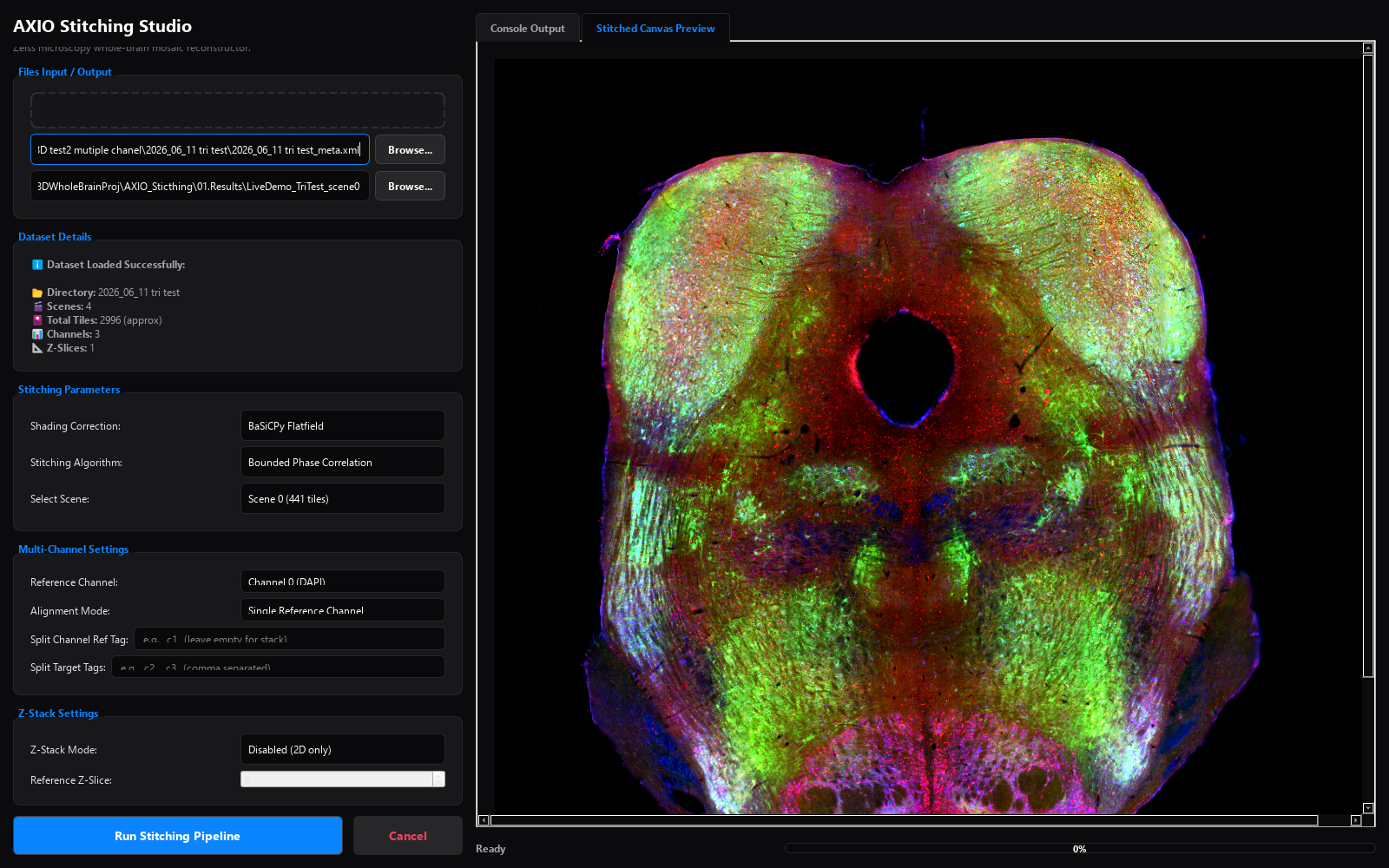
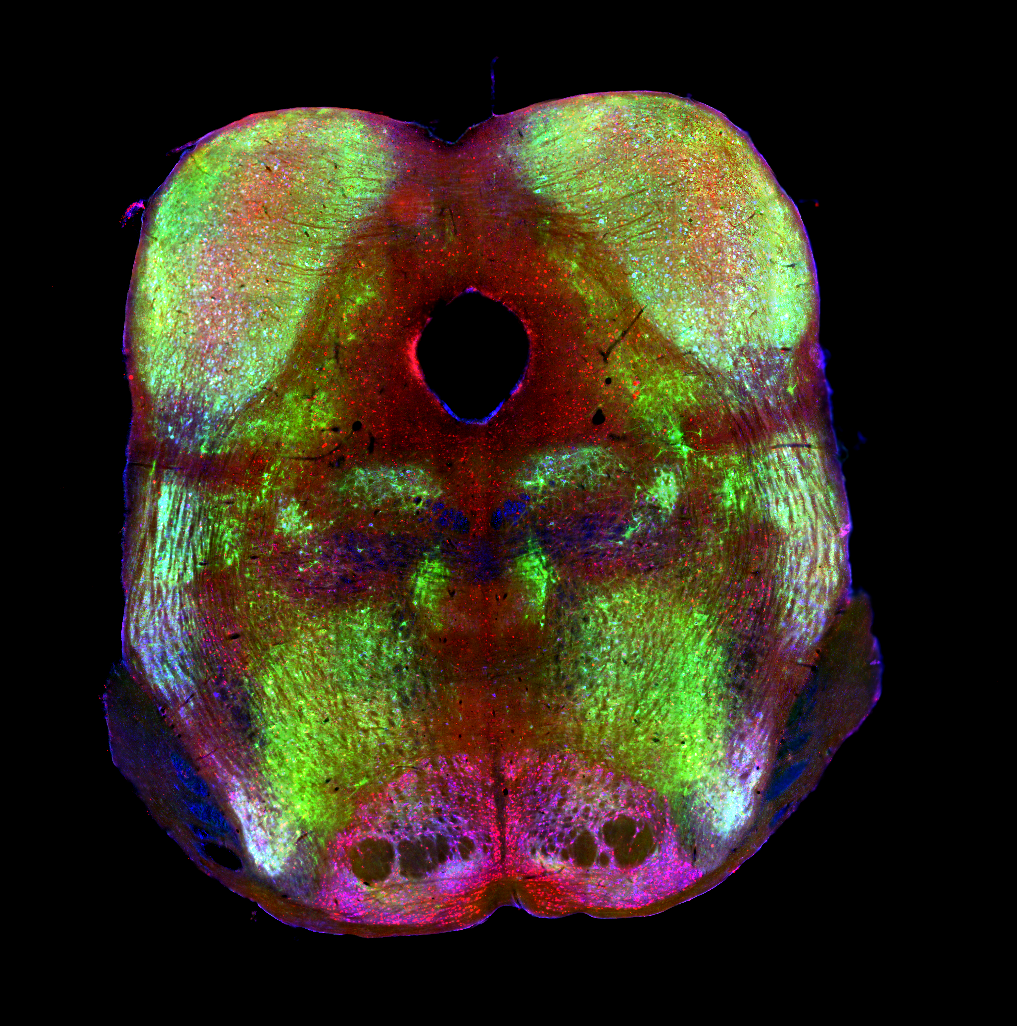
The video above isn't a rendering of a finished file — it's the actual desktop app, captured live while it really stitched a 3-channel fluorescence scan (DAPI, FITC, Rhodamine; 441 tiles, 21×21 grid, 10% overlap). AXIO fit BaSiCPy flatfield independently per channel, computed 840 pairwise phase correlations on the DAPI reference channel, applied that registration to all three channels, and feather-blended each into its own canvas — the exact run shown above, time-lapsed but otherwise unedited.
- Mosaic canvas
- 0.34 GP
- 18,456 × 18,304 px × 3 channels, from 441 tiles
- Full pipeline run
- 3m 24s
- dataset load to saved TIFF, start to finish
- Tile-pair registration
- 840 pairs
- phase-correlated on the DAPI reference channel
- Feather blend
- 11 s
- 441 tiles onto one canvas · 43.5 it/s (per channel)
Measured live on 2026-08-27 — read directly from that run's own console output and its saved TIFF header; this is the exact run captured in the video above.
Capabilities
Five input formats, auto-detected
Zeiss _info.xml / _meta.xml, Fiji TileConfiguration.txt, OME-TIFF stage positions, an explicit positions JSON, or a bare folder of grid-named tiles — each classified with a confidence rating before anything runs.
Registration anchored to stage coordinates
Bounded phase correlation or SIFT refine the stage coordinates, then a Tikhonov-anchored global least-squares solve places the tiles. Inspect the final mosaic and QC metrics for misregistration.
Shading correction up front
BaSiCPy flatfield by default, with median and spatial alternatives — vignetting and uneven illumination are corrected before tiles ever meet the canvas.
Multi-channel, split-channel, 3D
Registration is computed once on the reference channel and applied to all — including one-file-per-channel layouts and Z-stacks (MIP or reference-slice alignment). Layouts are auto-recognized down to the exact parameters to pass.
Pre-flight sizing, honest QC
axio estimate predicts canvas, RAM, disk and time with an ok / tight / will_not_fit verdict before you commit; axio qc streams empty-fraction, clipping and seam metrics after — because exit 0 is not the same as stitched correctly.
A full contract for AI agents
17 typed MCP tools cover the whole loop — inspect, estimate, validate, background stitch with polling and cancel, preview images the agent can look at, QC — plus a GUI handoff that opens the app pre-loaded with the agent's run.
In the studio
Know before you ask for it
- The Windows installer is unsigned — SmartScreen will ask for More info → Run anyway on first launch (SHA-256 checksums are published to verify what you got).
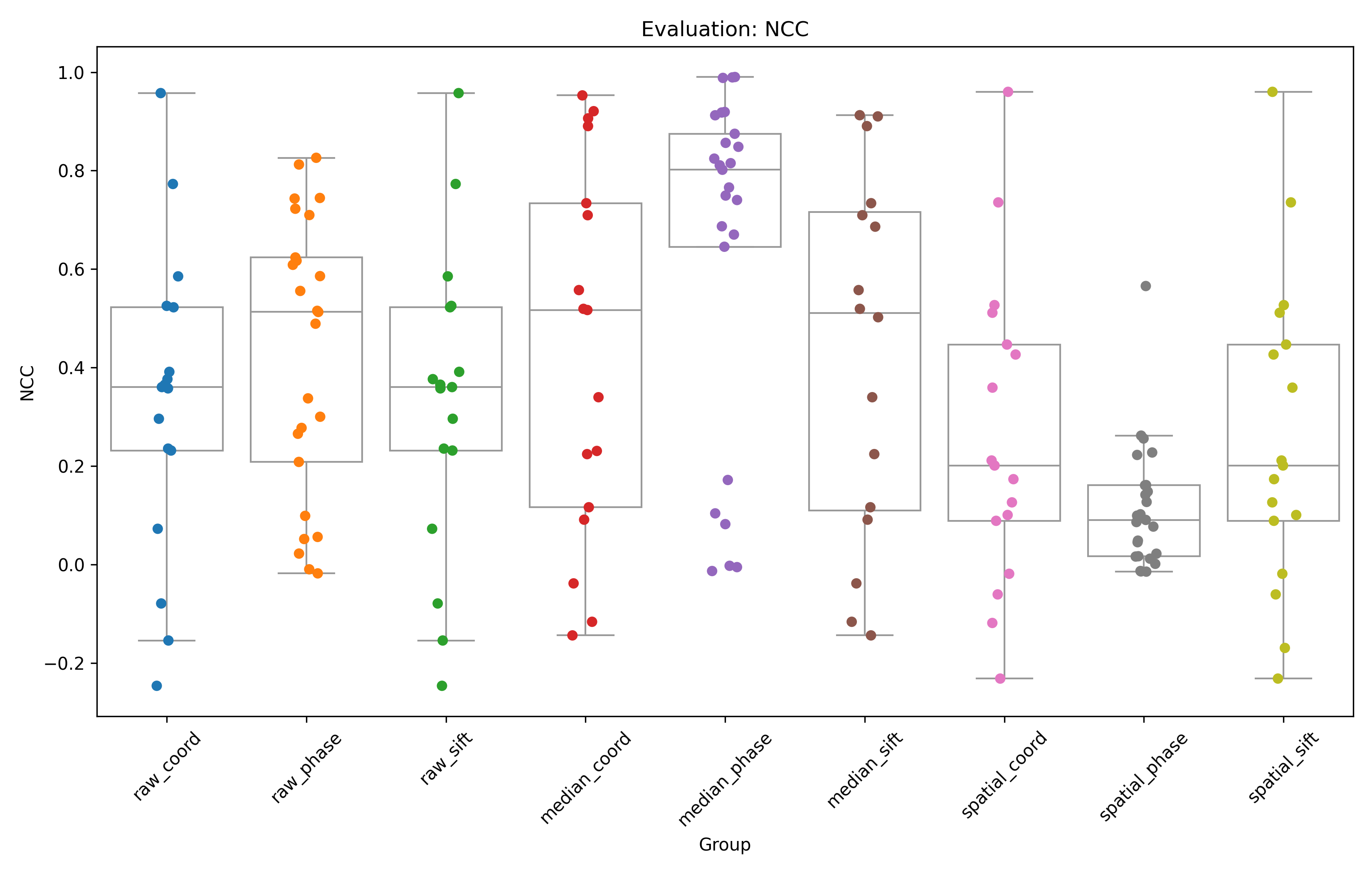
- Spatial shading correction is the slow path — ~50 minutes for 555 tiles in the benchmark, versus seconds to minutes for BaSiCPy and median.
- Gigapixel canvases are RAM-hungry: run axio estimate first and take a will_not_fit verdict seriously.
- macOS and Linux are source installs (pip / conda) — the prebuilt installer is Windows-only today.
Releases & access
View changelog →- Available downloads
- Published download: 1.1.1, with a Windows installer and Python packages on PyPI. Repository source is 1.2.1; matching 1.2.x installers and PyPI packages have not been verified as published.
- Who can download
- The published Windows installer and PyPI packages are free to download without a Nexitia account. macOS and Linux use the Python package; no native installers are published for them.
- License by edition
- Published 1.1.1: MIT. Later source revisions, starting with 1.1.2, declare BSD-3-Clause. The repository's current license does not relabel the older published packages.
- Before you update
- The recommended pip command is pinned to published 1.1.1. Check this history before changing versions. Keyence support and newer large-TIFF behavior belong to source-only 1.2.x changes, not the current installer.
Publication records checked
Read edition license / terms