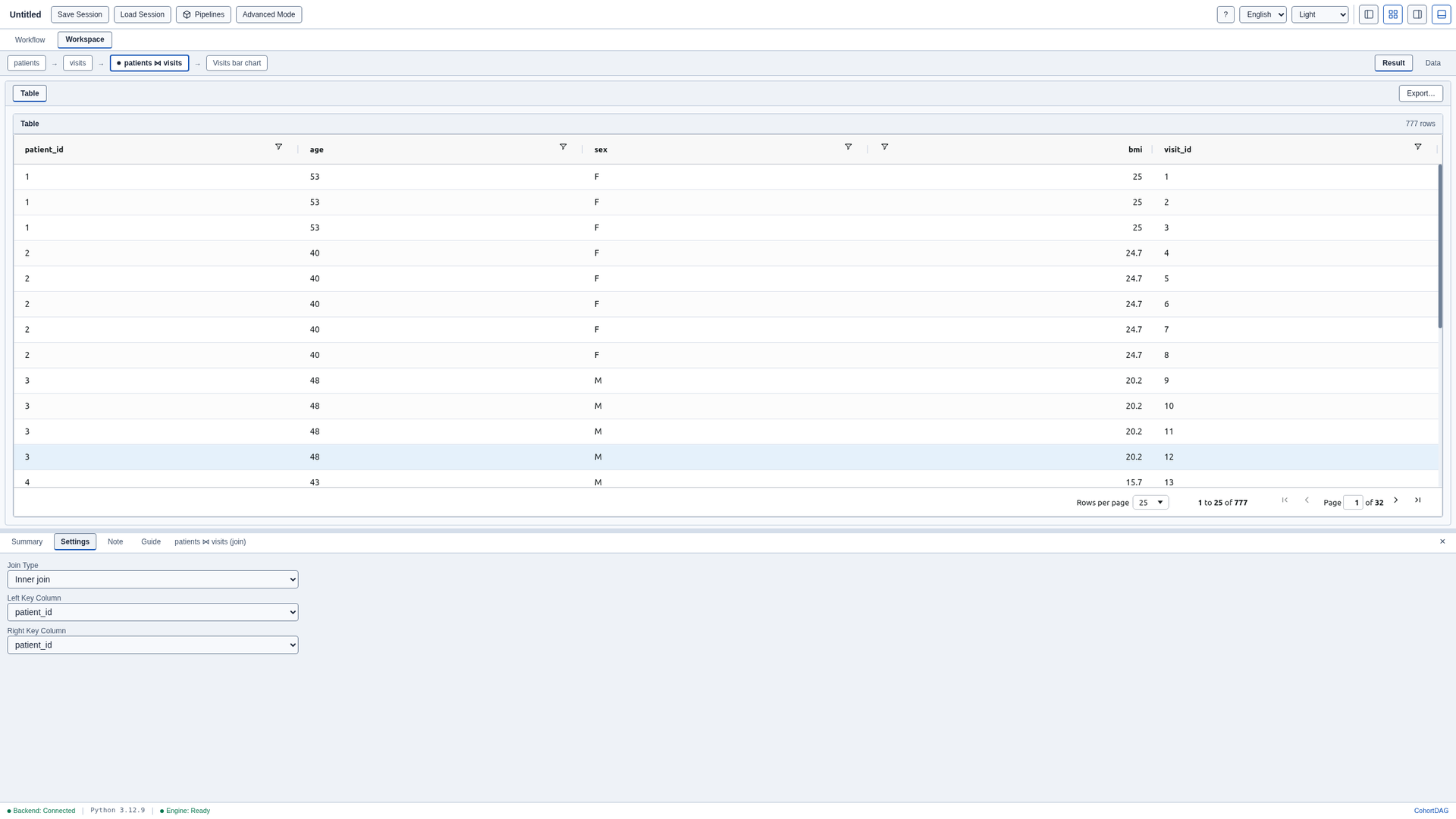
Join two tables and summarise them
How-to · CohortDAG 0.2.9
Load the starter pipeline
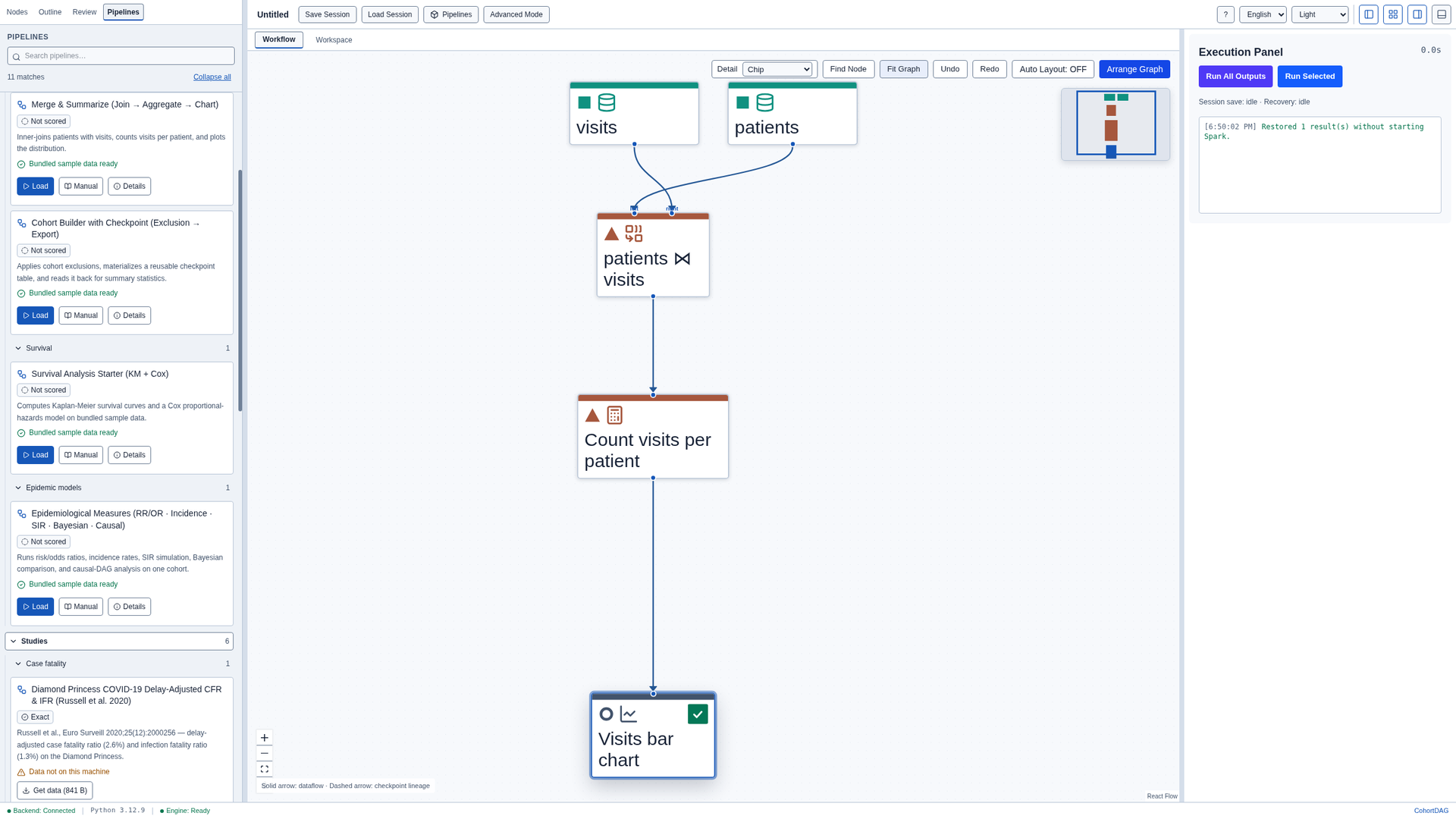
Click Pipelines and, under Starters, load Merge & Summarize. It runs on sample data that ships with CohortDAG. Close the results panel and click Arrange Graph.
Check the join
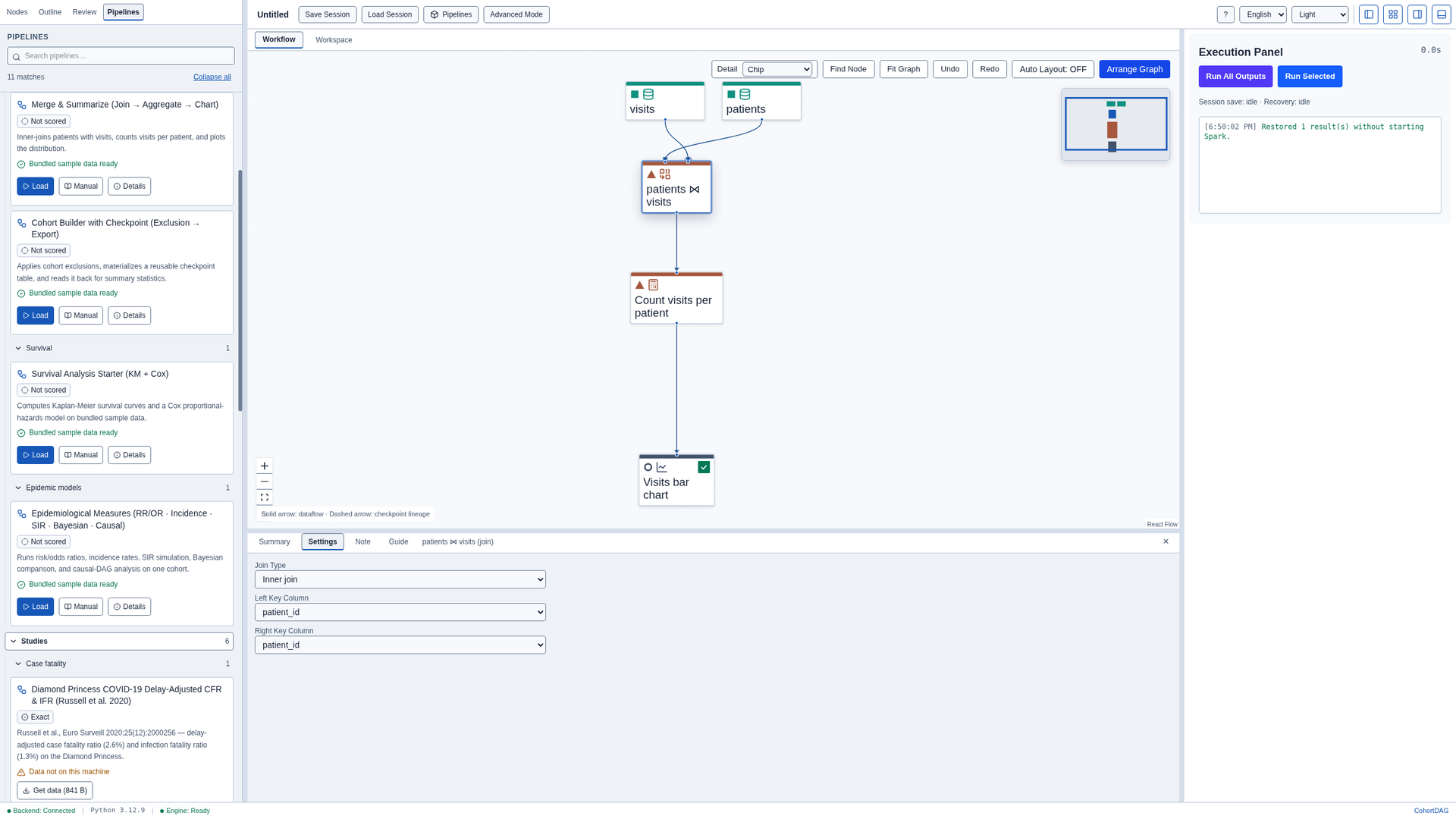
Select the Join node and open Settings in the inspector. It is an inner join of patients and visits on the patient_id column.
Run the pipeline
Click Run All Outputs. CohortDAG compiles the pipeline and runs it on Apache Spark. When the run finishes, close the results panel.

Read the joined rows
Run All Outputs computes only the pipeline's outputs, so the Join node's own rows are not stored yet. Select the Join node, open the Workspace tab and click Run Selected. Each row now carries the columns of the patient and of the visit.