Get started on Ubuntu
Get started · CohortDAG 0.2.9
This page installs CohortDAG on Ubuntu 24.04 and prepares its analysis environment. Every command below was run on a clean Ubuntu 24.04 machine; the output shown is what it printed.
Install from the terminal
Check the download
Download the .deb package from the CohortDAG page and open a terminal in the folder where you saved it. Print the package's SHA-256 checksum and compare it with the value published beside the download.
sha256sum CohortDAG-0.2.9.deb1368751eb7d412a317ee55d210dafc7816db34384cc0372d663ce1a65dc55d64 CohortDAG-0.2.9.debRefresh the package lists
Refresh Ubuntu's package lists so the dependencies install at their current versions.
sudo apt-get updateInstall CohortDAG and its system dependencies
Install the package together with Python's virtual-environment and package tools and Java 17, which Apache Spark needs. The leading ./ tells apt to install the file in this folder.
sudo apt-get install -y ./CohortDAG-0.2.9.deb python3-venv python3-pip openjdk-17-jdkPrepare the environment in the app
Start CohortDAG from the applications menu. On its first start, it opens the Backend Environment Setup dialog:
Environment Setup opens
On its first start, CohortDAG checks what it needs. Environment Setup lists two automatic steps: a private Python environment, and the analysis packages.
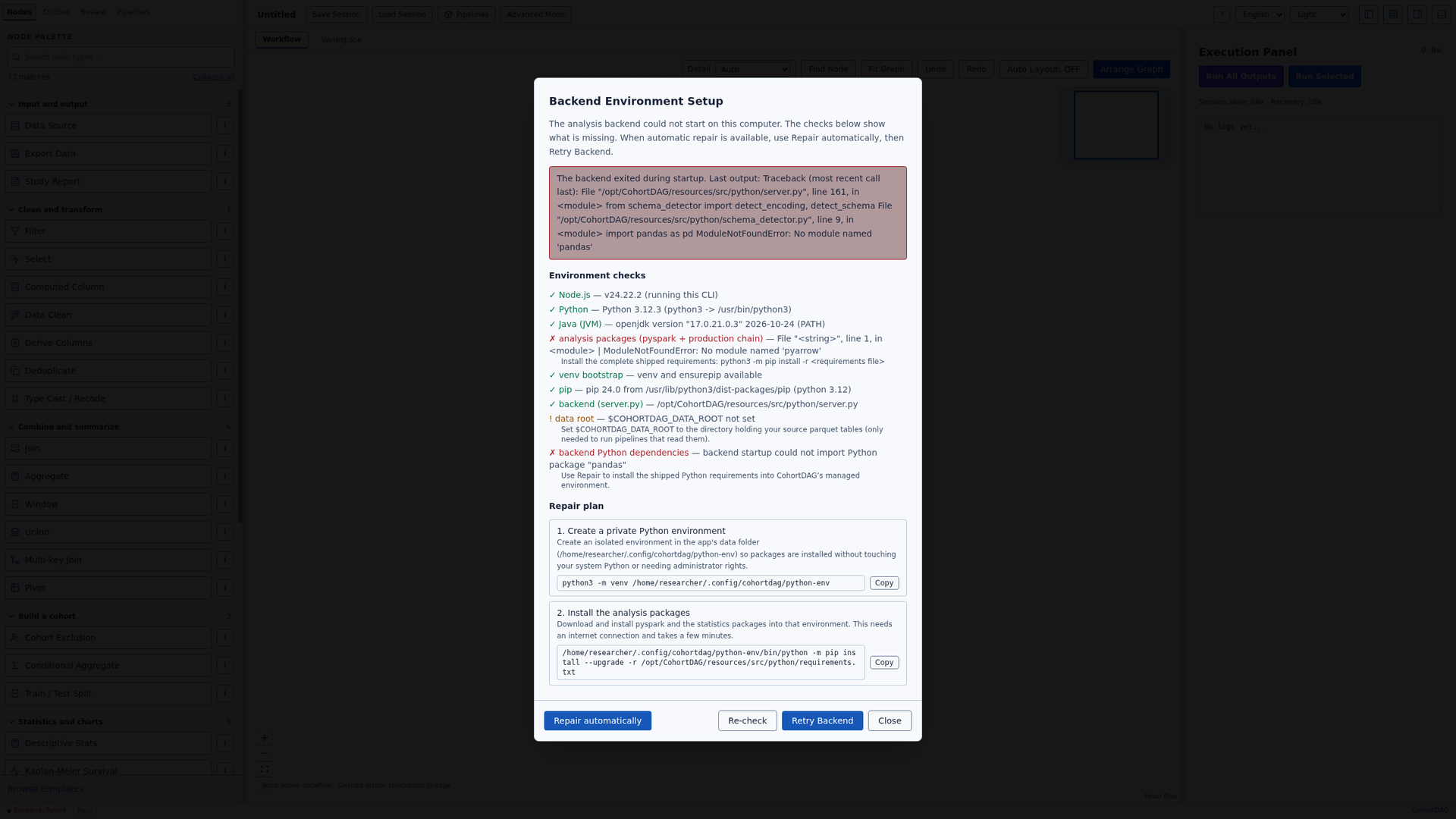
Repair automatically
Click Repair automatically. CohortDAG creates its environment in its own data folder and installs Apache Spark and the statistics packages. It needs an internet connection.

Start the backend
Then click Retry Backend. When the status bar shows Backend: Connected, CohortDAG is ready.
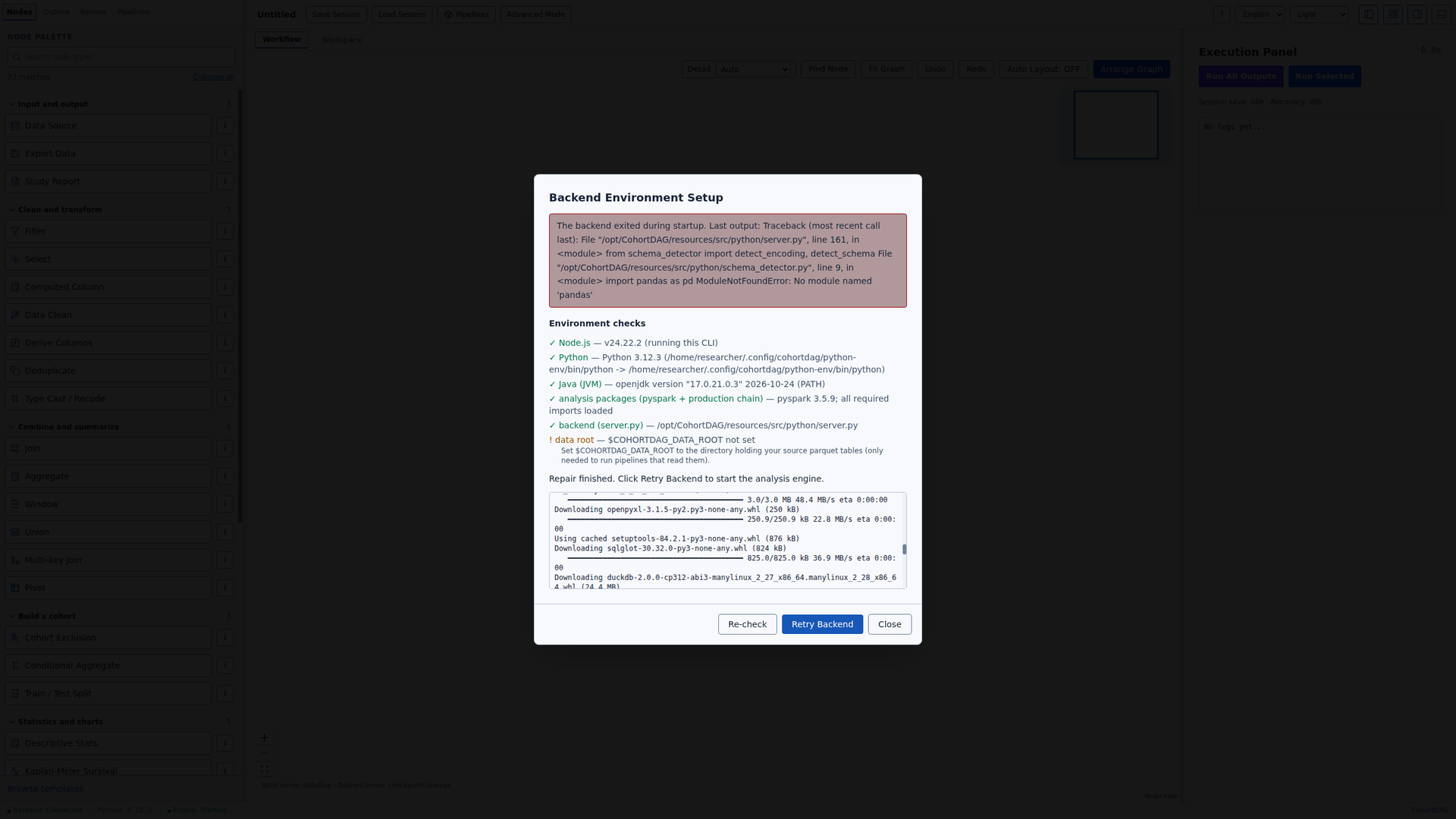
Close the dialog
Click Close. The next step is the first tutorial.
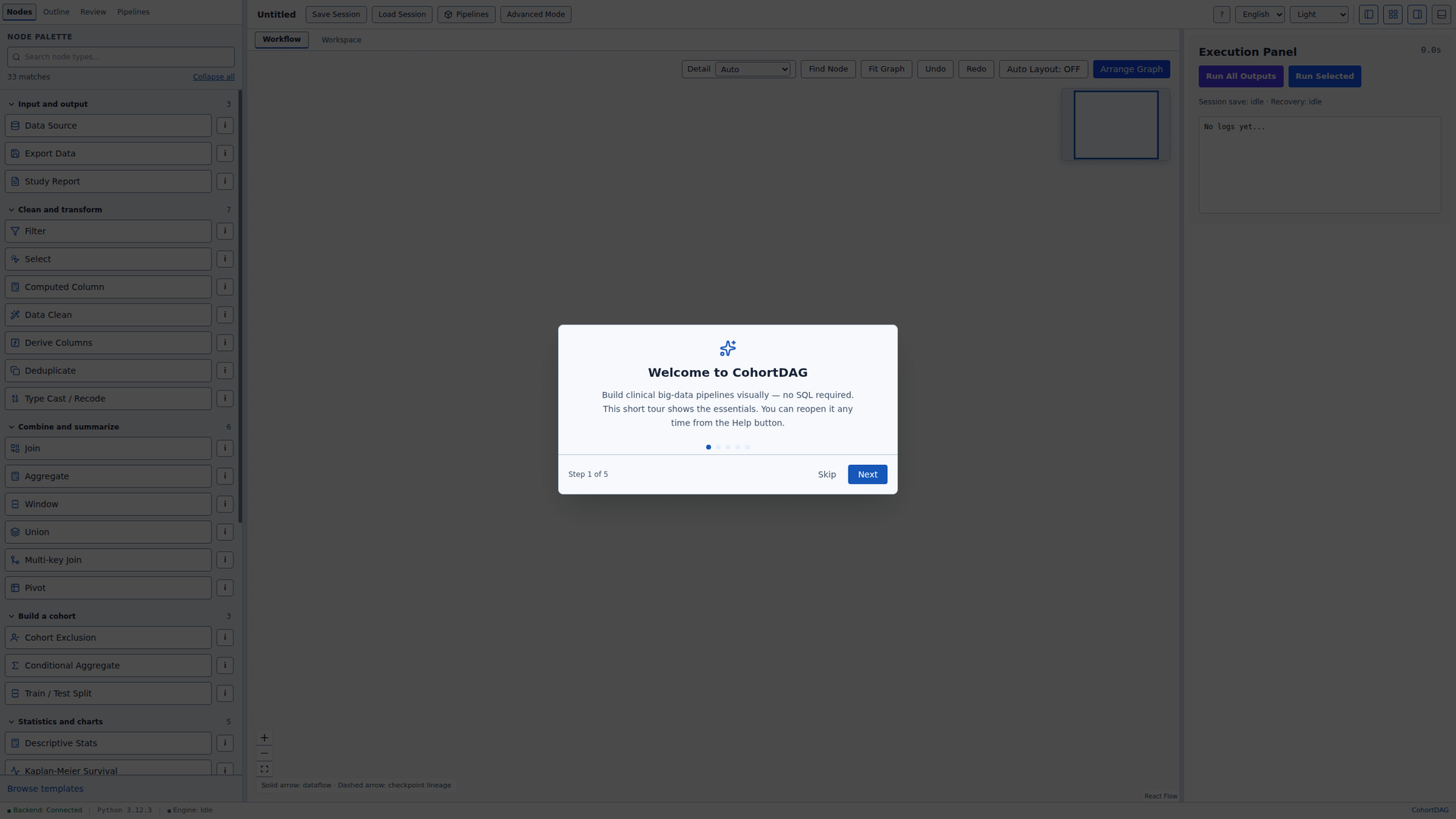
Next
CohortDAG is ready. Continue with the end-to-end tutorial. Reproduce a published study end to end: Russell et al. 2020